Tells every sales executive which lead to call next.
A lead-to-customer system for Indian businesses that sell by phone, WhatsApp and email. Most CRMs record what happened. This one also says what to do now: a ranked list of leads, a one-click call, a place to log the outcome, and the next follow-up booked in the same window. Managers see whether leads are being handled fast enough, with every number opening onto the leads behind it.
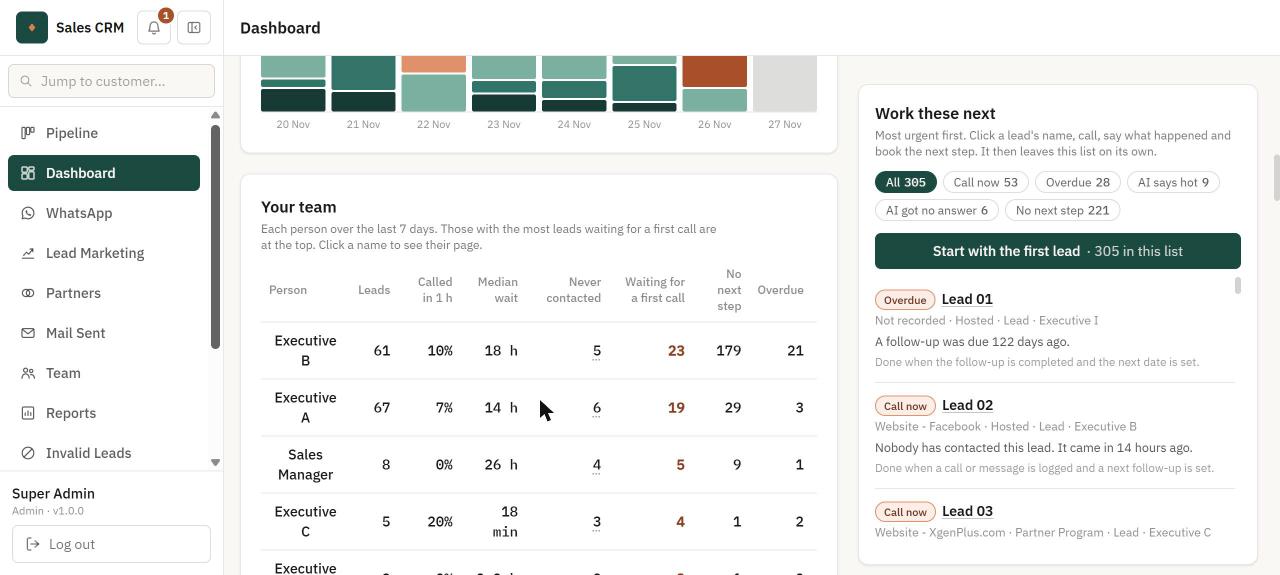
The Performance Matrix answers three questions every morning: how fast am I reaching new leads, how does that compare with last week, and which lead should I work next.
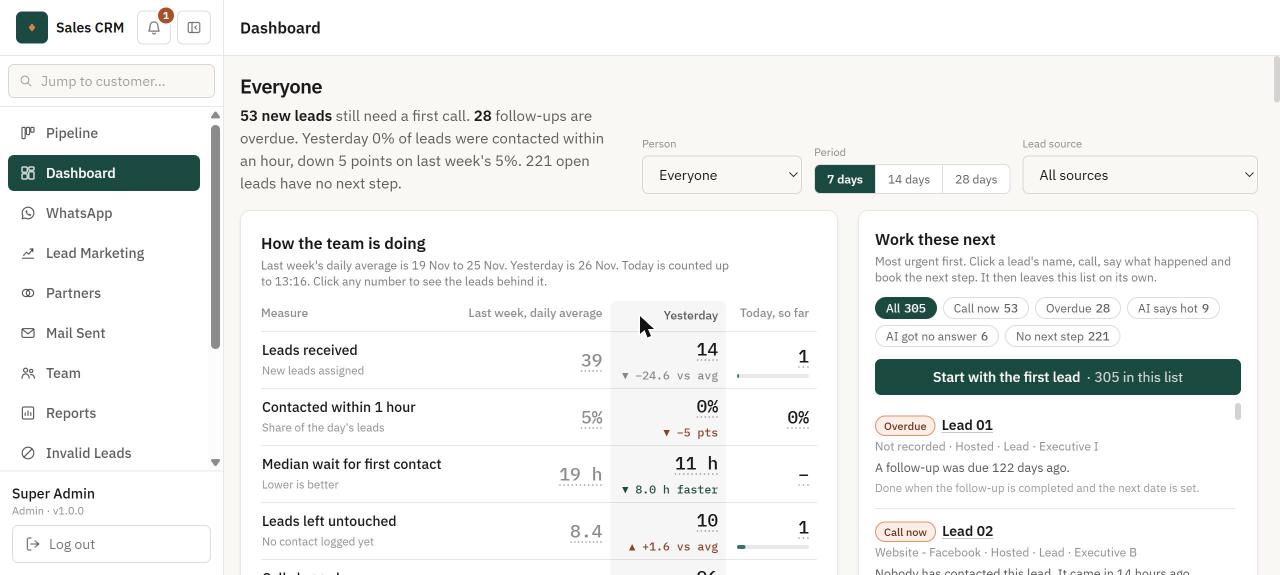
New leads assigned, against last week's daily average.
The share of new leads a person reached inside the hour, when interest is highest.
How long a typical lead waited for a call or message. Lower is better.
New leads with no contact logged yet, so nothing sits unseen.
The day's work against the same weekly average, with an arrow for better or worse.
One click filters the whole page to a lead source, a person or a period.
Sales teams rarely lose leads in the pitch. They lose them in the first day, when nobody calls, and in the weeks after, when nobody follows up. None of this is visible until someone pulls the data by hand. Most teams have the same gaps and no easy way to see them.
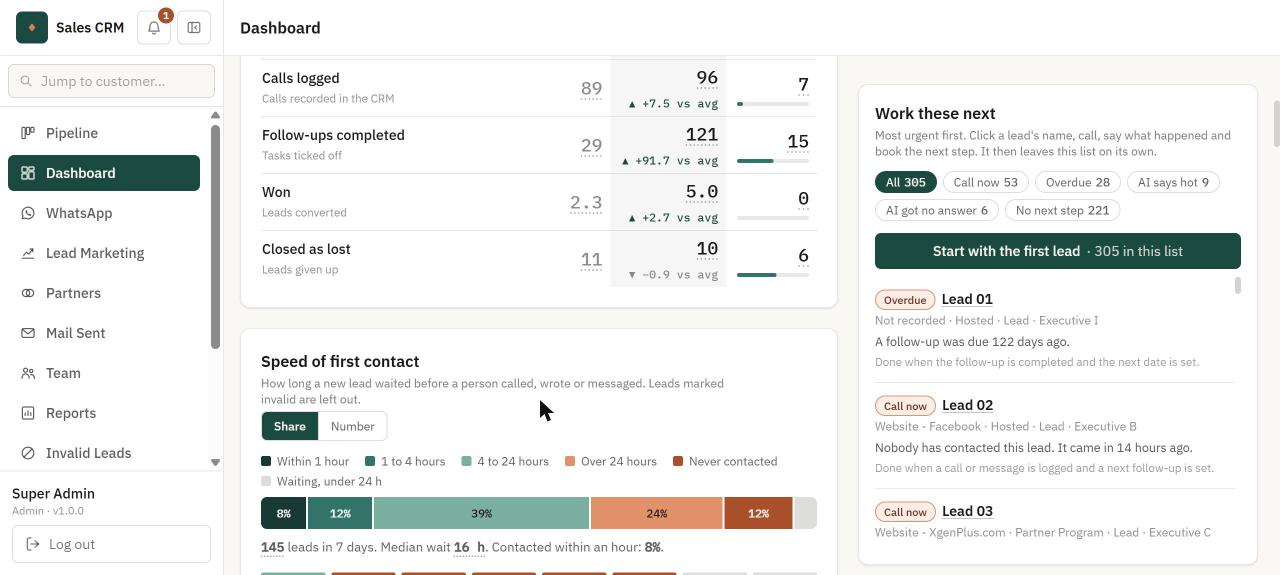
Executives see their own speed and backlog every morning, know which lead to call first, and finish a lead in one window.
Managers see where the team is falling behind, without chasing people for updates.
After hours is its own view: how leads that arrive at night or on Sundays get handled.
Lost leads show their reasons, and how many attempts were logged before a lead was given up.
A ranked list of leads to act on: new leads nobody has called, overdue follow-ups, leads the AI rates hot, AI calls that did not connect, and open leads with no next step. A lead leaves the list because the work is done, not because someone ticked a box.
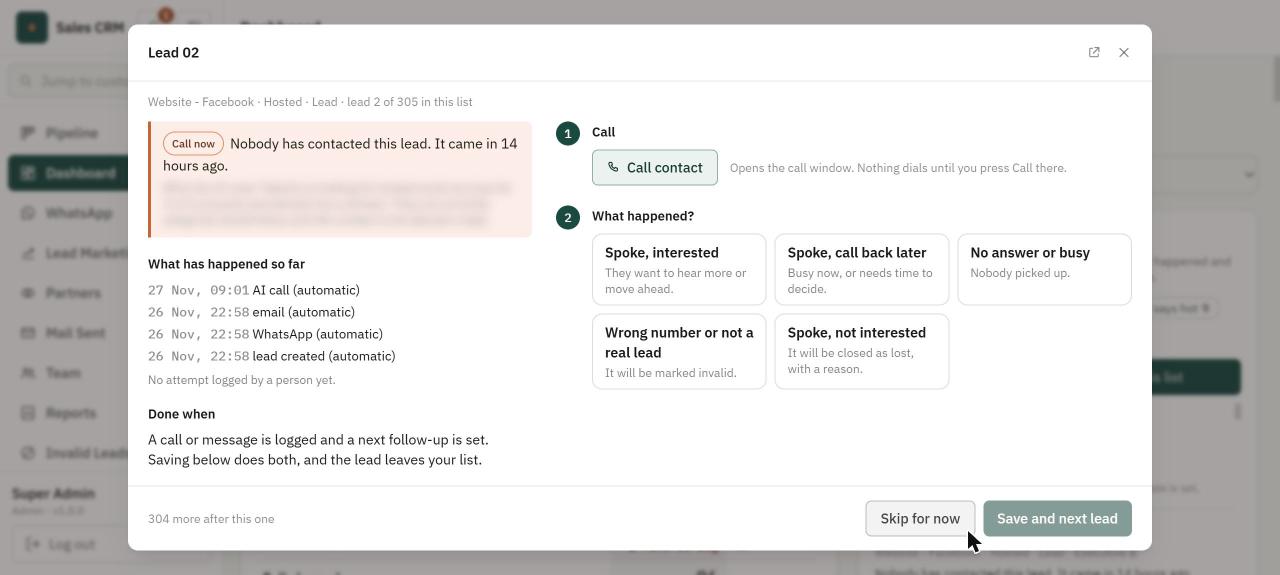
A lead can only be closed as “No Response” after three logged attempts, which stops leads being given up early.
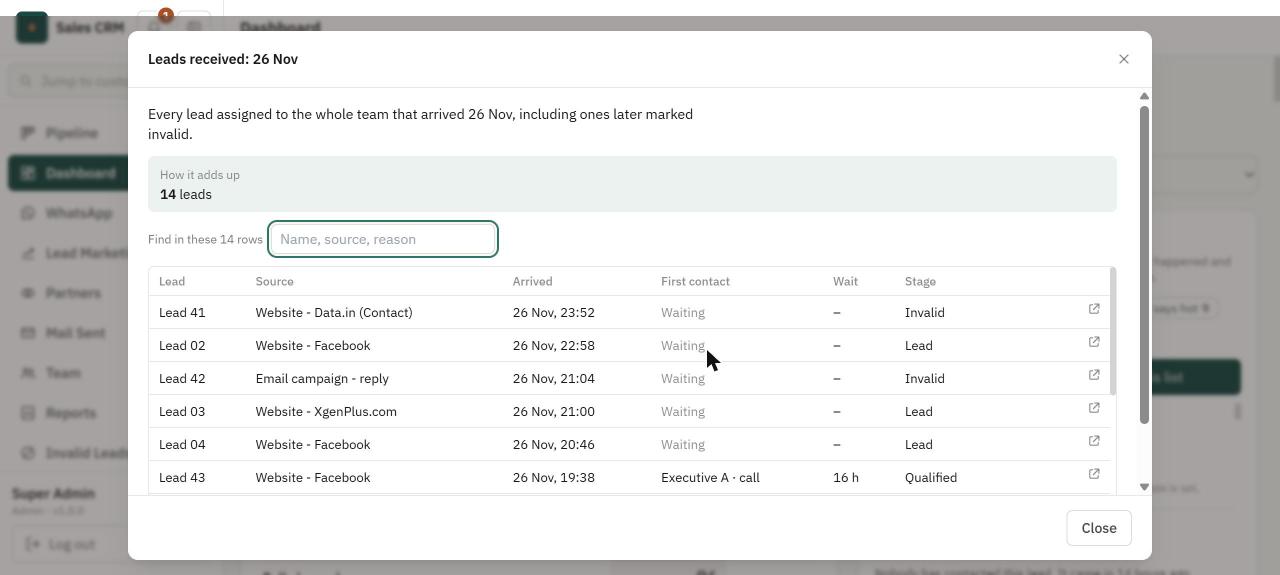
A window opens with the definition, how the figure adds up, and the exact leads, calls or follow-ups it was counted from. Nobody has to trust a figure they cannot see the working for, which makes the page useful in a coaching conversation as well as a morning check.
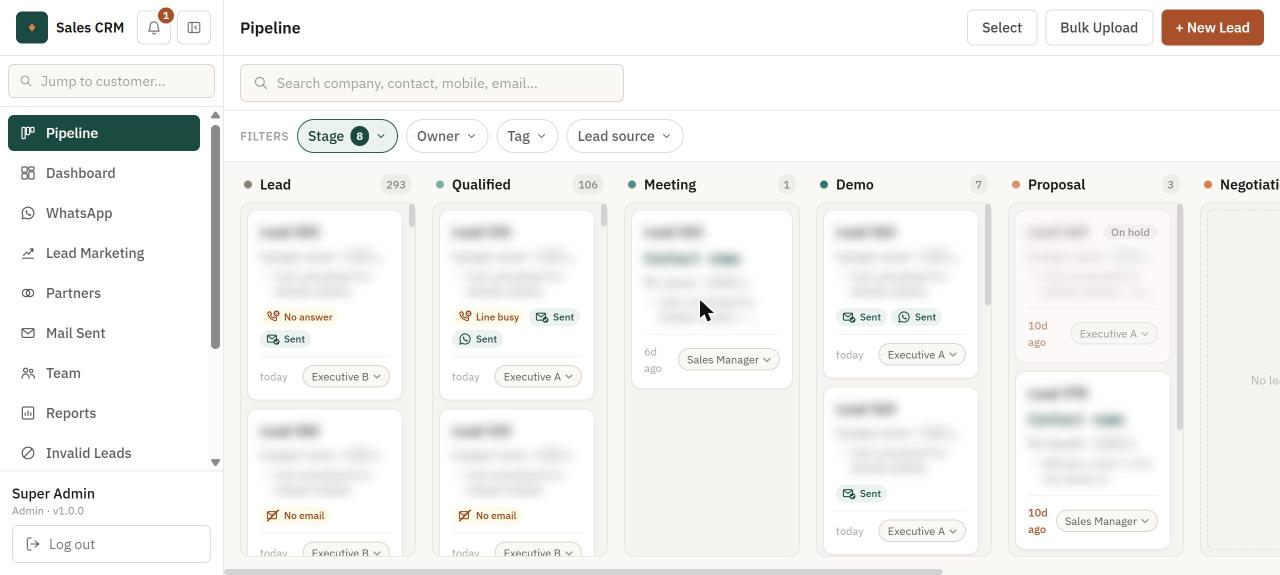
A Kanban board moves each lead through the pipeline. Every lead page keeps contacts, notes, calls, emails, WhatsApp messages and follow-ups in one timeline.
Website forms, landing pages, Facebook and LinkedIn lead forms post straight in, each with its own access key. Executives add leads by hand; managers upload a spreadsheet. A repeat enquiry is recognised and the team is alerted.
Automatic assignment by your rules, with manager reassign. BANT qualification, temperature from cold to very hot, tags, and a product or service of interest on every lead.
Fake, spam and test leads are marked invalid, reviewed by a manager, and kept out of conversion figures. Lost leads need a reason from your list and can be reactivated for win-back.
Follow-ups carry a type, due time and priority, and show in a daily brief with overdue first. Managers see what is overdue across the team.
Click-to-call with outcomes and recordings read back onto the lead. A WhatsApp inbox inside the CRM, and a first email from the company mailbox, all logged.
Dashboards by owner, stage, source and period. A marketing view shows spend by channel, cost per lead and conversion, and an AI assistant answers pipeline questions in plain language.
The AI reads a new enquiry, a call transcript or a customer's reply and suggests a summary, temperature, requirement, BANT scores, next action, follow-up, or a flag that the lead looks fake. Every field is unticked. Nothing is applied to a lead until a person ticks it.
Assignment. A new lead goes to the right executive by your assignment rules.
First WhatsApp and first email. A new enquiry gets a WhatsApp introduction with the brochure (Indian numbers) and a follow-up email from the company mailbox, both logged.
Voice agent (optional). An AI agent can place the first call to a new enquiry; the outcome lands on the lead.
Team alerts. Repeat enquiries and missed logins can be posted to the team's chat room.
Call results. Click-to-call outcomes and follow-ups are read back onto the lead every minute.
Human decisions stay human. Closing a lead, marking it invalid, changing its owner, setting its temperature and moving it between stages are always a person's call, recorded with their name. The AI provider is a setting, so a company can point the CRM at its own endpoint.
The server enforces it on every request, so a hidden lead cannot be reached by changing a web address.
Nobody can change their own role or active status. Every important change is written to an audit log that is only ever added to.
These connectors run in production today. A new company's stack is fitted during onboarding.
Website, Facebook and LinkedIn forms post leads in through per-channel access keys.
Opens from the lead; reads back results, outcomes, follow-ups and recordings.
An inbox inside the CRM and an automatic introduction to new enquiries.
Sends the first follow-up email and logs every message.
Powers lead suggestions, call scoring and the assistant. The endpoint is configurable.
Posts alerts such as repeat enquiries and login reminders.
Optional: outbound email campaigns. Personal emails to a chosen audience from named accounts within a daily limit. Replies become leads; STOP replies and bad addresses are blocked.
Optional: Partner Program, Lead Marketing, Team location, AI voice agent. A reseller application queue, spend and cost-per-lead, a map of field staff, and automated first calls.
A PostgreSQL database you own, with access enforced on the server, not in the browser.
Passwordless sign-in. Email plus a one-time code from an authenticator app, so there is no password to leak or reuse. Failed attempts are throttled, and signing in on a second device ends the first session.
Record-level access and audit trail. Stage changes, reassignments, exports and logins are written to a log that is only added to.
Secrets stay out of the code. Keys and tokens live in the server's environment and are never shown in the app.
Backups and exports. Nightly backups with a documented restore, a backup before every database change, and leads that can be exported from plain relational tables.
Safe releases. Each release is backed up, health-checked after restart and rolled back automatically if checks fail, with seconds of downtime. It runs on one modest server behind a standard web proxy with TLS.
We map your products, lead sources, team structure and calling and messaging tools.
Pipeline stages, lost reasons, sources, services and assignment rules go in as settings, not code.
Website and ad forms post leads in; calling, WhatsApp and email are connected.
Existing leads are uploaded from a spreadsheet and assigned to owners.
One daily routine for executives: open the Dashboard, work the list from the top. Managers learn the team table.
What we need from you: users with roles and reporting lines, your products and lead sources, access to the website forms and ad accounts, your calling and WhatsApp provider details, and an existing leads spreadsheet.